About System management
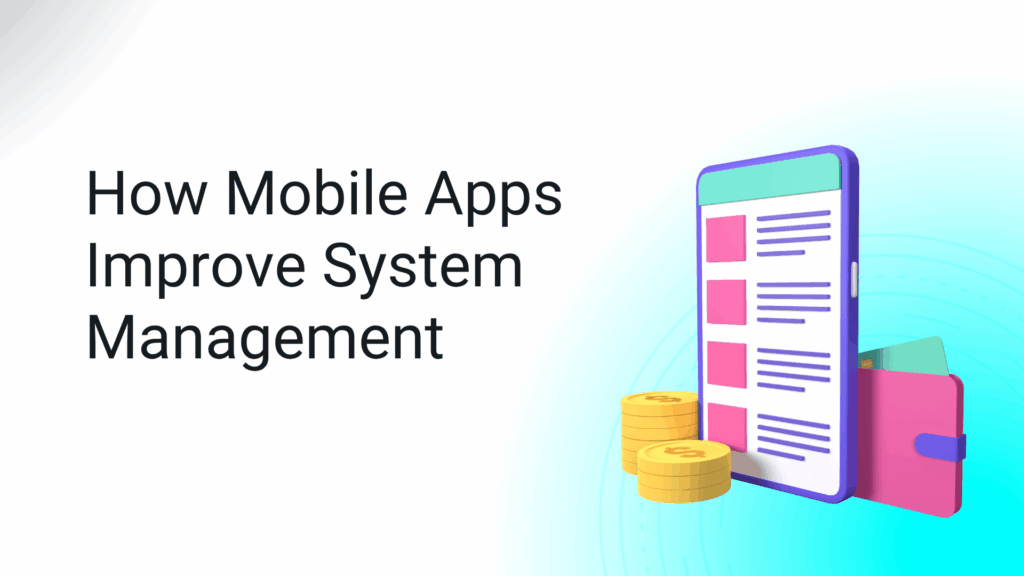
System management used to be tied to office desks, clunky interfaces, and delayed decisions. But with mobile apps stepping in, everything’s changed. From IT monitoring to asset tracking and operations control, system management is now mobile, real-time, and efficient.
At Korvage, we specialize in building custom mobile apps that help businesses simplify processes, cut costs, and enhance productivity. Let’s explore how mobile apps are reshaping system management—and how to stay ahead in this digital shift.
Why Mobile Apps Matter in System Management
Whether you’re handling IT systems, managing hotel operations, or overseeing facility assets, mobile apps give teams the flexibility to respond faster and work smarter. Instead of waiting to get back to the desk, managers and staff can:
At Korvage, we design apps to bring all this control right into your pocket—with zero friction.
Current Trends Driving Mobile System Apps
Let’s look at some major trends shaping the system management space:
1. Hybrid Monetization Models
Instead of relying on just one revenue stream, most apps today combine methods like freemium access, tiered subscriptions, and in-app purchases for specific modules or add-ons. This model works especially well for operational tools where different users need different levels of functionality.
2. Privacy-Centric Development
With rising concerns over data safety, apps are built with GDPR-compliant encryption and multi-level access permissions. Security is no longer a luxury—it’s a requirement.
3. AI and Automation
AI is doing more than predicting maintenance issues. Apps now use machine learning to automate workflows, assign tickets, and even suggest optimizations based on past data. It reduces downtime and helps businesses make faster, smarter decisions.
4. Offline Functionality
With robust offline sync features, apps can keep operations running even when there’s no internet access. This is a game-changer for on-site teams or field engineers.
What Keeps Users Coming Back
Creating a good app isn’t just about loading it with features—it’s about understanding behavior.
Quick Results Matter
If a mobile app helps someone resolve a system error or generate a performance report in seconds, they’re going to use it regularly. That’s the difference between a nice-to-have and a must-have.
Visual Design Drives Action
Features like real-time progress bars, alert banners, and interactive dashboards help users stay focused and take action quickly.
Personalization Wins
Apps that offer custom experiences based on role, department, or past behavior see better engagement and retention.
Know Your Audience Before You Build
At Korvage, we always start with the audience. You can’t design a strong system app without understanding who will use it.
- Executives want snapshots and KPI dashboards
- IT Managers need system health checks and control tools
- On-site teams require alerts, work order access, and quick reporting
Using tools like Google Trends, AnswerThePublic, and SEMrush helps define what your users are really searching for.
Evaluate Competitors (Then Do It Better)
It pays to look at the leaders—like ServiceNow, ManageEngine, or Freshservice. See what works for them: pricing, onboarding flow, app speed, and UX.
But don’t just copy. Use that insight to uncover gaps:
- Is their app too complex?
- Do they ignore smaller teams?
- Is there limited offline access?
Filling those gaps gives your app a unique edge in the market.
Picking the Right Revenue Strategy
If you’re planning to offer your system app externally, monetization becomes essential. Here are proven approaches:
Subscriptions
Recurring revenue is predictable and scales well. You can offer monthly plans for startups and annual licenses for enterprises. Be clear with value differences across tiers.
In-App Purchases
Sell modules like advanced analytics, custom integrations, or bulk reporting directly in the app. This method works great for apps built on a modular architecture.
Reward-Based Ads
If you’re offering freemium access, reward-based native ads let users earn credits or unlock extras by watching brief sponsored content.
Platform matters—especially when you want to scale your app or monetize properly.
Best Networks for App Monetization
These platforms offer detailed targeting, ad controls, and SDKs for both Android and iOS.
Android & iOS Integration
Go beyond the basics by using SDKs that support in-app bidding, analytics tools, and payment gateways like Stripe or Razorpay.
A smart app design leads to better revenue and retention.
Use Social Proof
Displaying user testimonials or showcasing the number of successful syncs or tickets closed adds credibility and builds trust instantly.
Place Monetization Strategically
Avoid popups or disruptive banners. Instead:
- Place upgrade CTAs after key task completions
- Offer time-limited plans during onboarding
- Bundle multiple premium tools at a discount
Build Value First
Show users what the app can do for free. Then, nudge them to upgrade by highlighting premium perks—like automation tools, analytics depth, or priority support.
Final Thoughts
Mobile apps are changing how system management works—from static to dynamic, from delayed to real-time, and from desktop-only to always-accessible. Whether you’re tracking assets, handling outages, or monitoring KPIs, mobile apps give you a smarter, faster way to work.
At Korvage, we design system management apps with both functionality and monetization in mind. Our goal is simple: empower businesses with tools that perform under pressure—and pay for themselves over time.
Ready to launch your mobile system management solution?
👉 Visit www.korvage.com or email info@test.korvage.com to get started.